Setting Up Overhead Allocation
Overhead is the cost of running your business that cannot be tied to one product. CrafterBy allocates a share of it to each product so your prices cover it. It is the cost makers forget most often.
What counts as overhead
- Workshop or studio rent
- Electricity, gas and water
- Insurance — studio and product liability
- Software, platform and subscription fees
- Tool maintenance that spans many products
- Packaging used across many products, if you do not track it per product
Do not include anything you already track at product level — materials, machine time and labour are captured on the product itself, and adding them here charges you twice.
Production Capacity
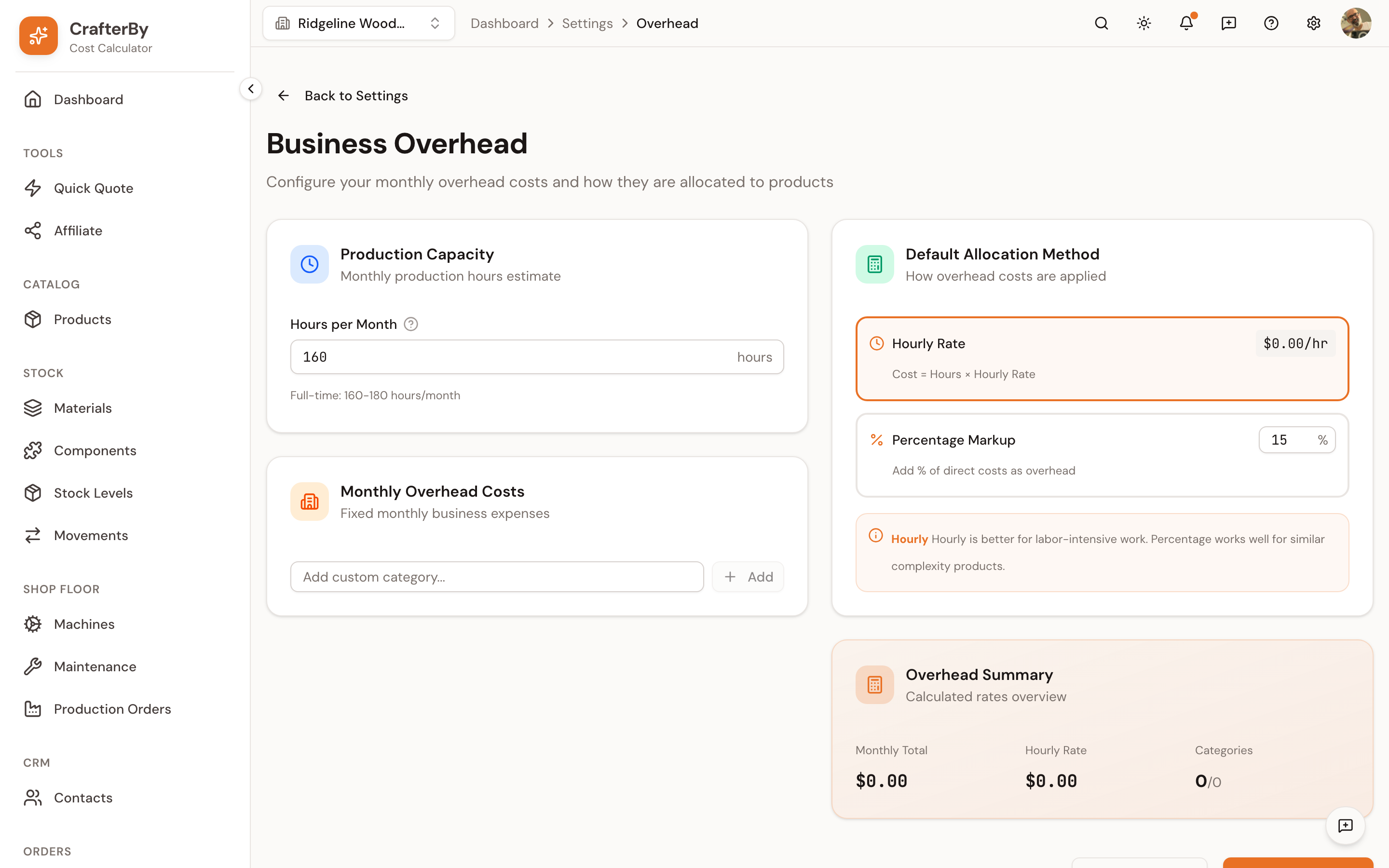
Hours per Month — your realistic monthly production hours. Full-time is roughly 160–180 hours/month. This is what converts a monthly total into an hourly rate, so a wrong number here distorts every product.
Monthly Overhead Costs
Overhead is entered as a list of categories, not one lump figure. CrafterBy starts you with six, each with its own monthly amount and an on/off toggle:
| Category | On by default |
|---|---|
| Rent/Lease | Yes |
| Electricity | Yes |
| Water | Yes |
| Gas | No |
| Business Insurance | Yes |
| Internet/Phone | Yes |
Add custom category… adds your own — accountant's fees, studio insurance, a tool subscription. Disabled categories are excluded from the total.
Default Allocation Method
Two methods, and they suit different workshops:
| Method | Formula | Use it when |
|---|---|---|
| Hourly Rate | Cost = Hours × Hourly Rate | Work is labour-intensive and products differ in how long they take. |
| Percentage Markup | Add a % of direct costs as overhead | Products are of similar complexity, or material cost tracks effort well. |
Worked example. Your fixed costs total 400/month and you produce for 100 hours/month, giving an overhead rate of 4.00/hour. On Hourly Rate, a product with 2.5 hours of work absorbs 10.00 of overhead. A quick product taking 15 minutes absorbs 1.00 — which is the point: the slow product carries more.
Overhead Summary
| Figure | Meaning |
|---|---|
| Monthly Total | The sum of every enabled category. |
| Hourly Rate | Monthly Total ÷ Hours per Month. |
| Categories | How many categories are contributing. |
If the hourly rate looks wrong, check Production Capacity before touching the costs — it is the denominator in that division.
Comments
No comments yet. Be the first to comment!
Log in with your CrafterBy account to leave a comment.
Log in to comment