This page is not yet available in your language. Showing the English version.
Low Stock Alerts
1 min de leitura5 de abr. de 2026
A material is low when its current stock is at or below its Min Stock. Set a minimum that reflects your lead time: if walnut takes two weeks to arrive, the minimum should cover two weeks of use.
Where alerts appear
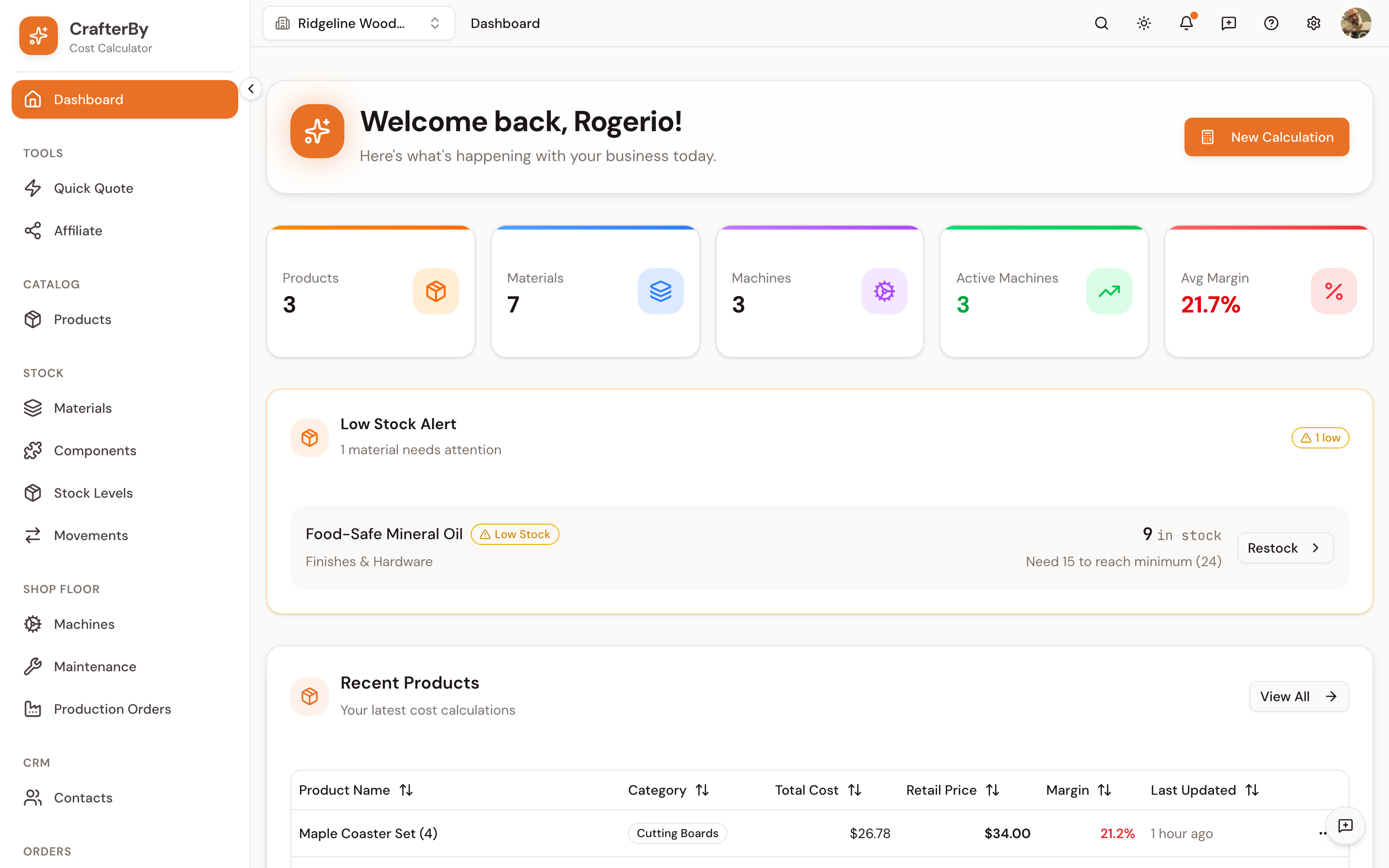
- The Low Stock Alert panel on the dashboard, listing each material, how much remains and how much more is needed to reach the minimum.
- A Low Stock badge on the material in the Materials list.
- A Restock action on each alert row, taking you to the material.
CrafterBy never orders anything for you. The alert is a prompt to act, not an automation. Nothing is reordered, and no email is sent — notification preferences are not active yet.
Tuning the threshold
| Symptom | Fix |
|---|---|
| Constantly amber on items you always have | Minimum is set too high |
| Running out before the alert is useful | Minimum is too low for your lead time |
| No alert on something critical | Stock tracking is off for that material |
Comments
No comments yet. Be the first to comment!
Log in with your CrafterBy account to leave a comment.
Log in to comment